
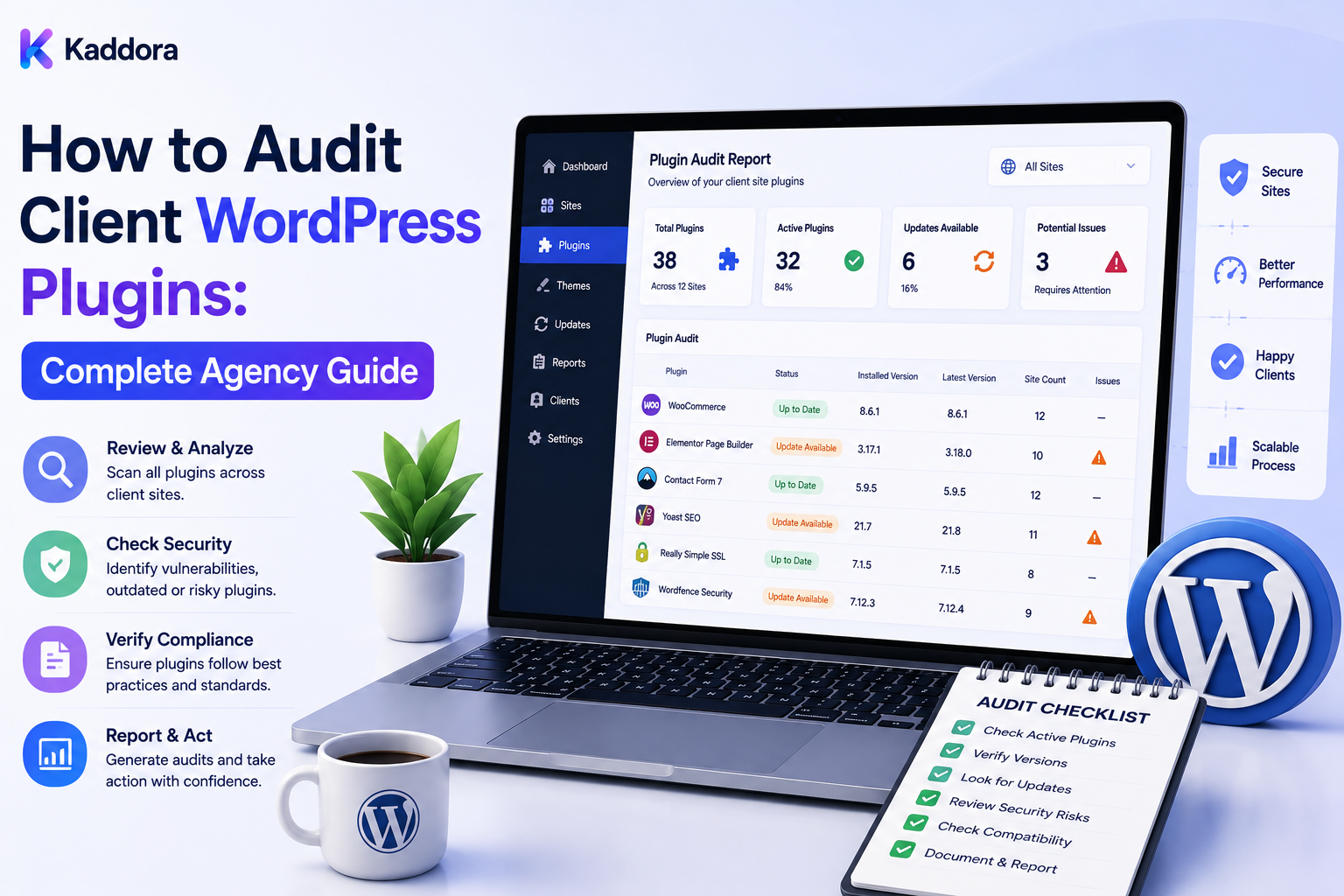
How to Audit Client WordPress Plugins: Complete Agency Guide
Introduction
A WordPress website can accumulate plugins surprisingly quickly.
A new client may have:
10 Plugins
but after years of development, marketing integrations, WooCommerce extensions, analytics tools, page builders, security products, and custom functionality, the same website may have:
30+ Plugins
The problem is not simply the number of plugins.
The real questions are:
Why Is Each Plugin Installed? Is It Still Needed? Is It Maintained? Is It Compatible? Does It Affect Performance? Does It Store Important Data? Is It Licensed? Does Another Plugin Already Provide the Same Function?
This is why agencies should perform regular WordPress plugin audits.
A professional audit evaluates the entire plugin environment rather than simply checking whether plugins are active.
A useful process is:
Inventory ↓ Identify Purpose ↓ Check Versions ↓ Review Security ↓ Review Performance ↓ Check Dependencies ↓ Check Licensing ↓ Review Configuration ↓ Test Functionality ↓ Classify Risk ↓ Recommend Action
The objective is not to remove as many plugins as possible.
The objective is to create a plugin stack that is:
Necessary, maintained, compatible, secure, understandable, and appropriate for the client's business.
A professional WordPress plugin audit should determine what each plugin does, whether it is still required, whether it is safely maintained, what it depends on, what risks it introduces, and whether the client is receiving enough value from keeping it installed.
What Is a WordPress Plugin Audit?
A WordPress plugin audit is a structured review of all plugins installed on a website.
The audit can include:
Plugin Name Version Status Purpose Vendor License Dependencies Customization Security Performance Configuration Data Usage
The depth of the audit should depend on website complexity and risk.
Why Should Agencies Audit Client Plugins?
Plugin audits help agencies:
Identify unnecessary plugins
Discover outdated software
Reduce compatibility risk
Find duplicate functionality
Improve maintenance
Understand dependencies
Identify licensing issues
Investigate performance problems
Improve security visibility
Simplify the technology stack
An audit also creates documentation for future maintenance.
Audit the Entire Plugin Inventory
Start by collecting:
Active Plugins Inactive Plugins Must-Use Plugins Network Plugins Custom Plugins
Do not audit only the plugins visible in the normal WordPress dashboard.
Record Installed Versions
For every plugin, record:
Current Version Available Version Last Checked Update Status
Never assume an unknown version is current.
Identify Plugin Purpose
Every plugin should have a documented purpose.
For example:
Plugin: Form Builder Purpose: Lead Generation Forms
If nobody can explain why a plugin exists, it deserves further investigation.
Identify Business Dependency
Ask:
What business process depends on this plugin?
Examples:
Checkout Lead Generation Email SEO Analytics Membership Booking
A plugin supporting a critical workflow deserves more careful treatment.
Active Does Not Mean Necessary
A plugin can be active and still be unnecessary.
For example:
Plugin A: Active But: No Current Usage
Do not remove it blindly. Confirm its actual function first.
Inactive Does Not Mean Safe to Delete
An inactive plugin may contain:
Data Configuration Migration History
Review its purpose and uninstall behavior before deleting it.
Identify Duplicate Functionality
Look for overlapping plugins:
SEO Plugin A + SEO Plugin B
or:
Caching Plugin A + Caching Plugin B
Multiple tools may create conflicts or unnecessary complexity.
Avoid Duplicate Features
Compare:
Feature Plugin A Plugin B
Determine which product actually provides the required capability.
Plugin Replacement
Sometimes one comprehensive product can replace several overlapping plugins.
But don't consolidate simply for fewer plugin counts.
Evaluate:
Performance Features Security Compatibility Maintenance Cost
Review Plugin Vendor
Record:
Vendor Website Support Documentation Update History
A poorly maintained plugin deserves closer review.
Check Maintenance Activity
Look for:
Recent Releases Support Activity Compatibility Updates
The exact signals depend on where the plugin comes from.
Check WordPress Compatibility
Review whether the plugin supports the client's WordPress environment.
Track:
WordPress Plugin Theme PHP
as a compatibility set.
Check PHP Compatibility
A plugin may require a particular PHP runtime.
Include PHP in compatibility reviews.
Check WooCommerce Compatibility
For ecommerce websites, review:
WooCommerce Plugin Theme Payment Extensions Custom Code
Check Theme Compatibility
A plugin can interact with:
Theme Child Theme Page Builder Blocks Custom Templates
Check Page Builder Compatibility
Where clients use Elementor, block editors, or other builders, test important plugin features against the actual editing system.
Check Custom Code
Review:
Hooks Filters Overrides Custom Plugin MU Plugin Theme Functions
before removing or replacing plugins.
Check Plugin Dependencies
A plugin may depend on another component.
Example:
Plugin A ↓ WooCommerce
or:
Plugin A ↓ Plugin B
Dependency Graph
Create a dependency map:
Website ├── WooCommerce │ ├── Payment Extension │ └── Shipping Extension └── Form Plugin └── CRM Integration
This helps identify the impact of changes.
Identify Reverse Dependencies
Also ask:
What Depends on This Plugin?
Removing a plugin without answering this question can break other functionality.
Plugin Data Usage
Determine whether a plugin stores:
Posts Metadata Users Orders Custom Tables Options Logs
This matters during replacement or removal.
Uninstall Behavior
Review whether the plugin:
Deletes Data Retains Data Offers Cleanup
when uninstalled.
Do not assume deactivation removes database data.
Database Impact
Large plugin data sets can include:
Logs Analytics Search Indexes Metadata Temporary Records
Determine whether this data is necessary.
Performance Review
Assess plugin impact on:
PHP Execution Database Queries JavaScript CSS External Requests Page Weight
Avoid "Plugin Count = Speed"
A website with 20 efficient plugins can outperform a website with 10 inefficient plugins.
The number of plugins is not a reliable performance metric by itself.
Identify Heavy Plugins
Look for plugins generating:
Slow Queries High CPU Large Assets Frequent AJAX Requests External API Calls
Use profiling and monitoring evidence rather than assumptions.
Frontend Assets
Review whether plugins load:
CSS JavaScript Fonts Images
on pages where they are not required.
Backend Performance
Some plugins may primarily affect:
Admin Dashboard Reports Imports Exports Background Jobs
These issues may not be visible on the frontend.
Database Queries
Identify plugins generating expensive queries.
The solution may be:
Configuration Caching Code Improvement Replacement
rather than simple deletion.
Cron Jobs
Plugins may schedule background tasks.
Review:
Cron Jobs Frequency Runtime Failures
where appropriate.
Queue Workers
WooCommerce, email, analytics, AI, and other systems may use queues or background workers.
Ensure plugin-related jobs remain healthy.
External API Calls
Plugins may connect to:
CRM Email Payment Analytics AI Search Maps
Identify important external dependencies.
API Credential Dependency
Record only credential metadata:
Credential Reference Owner Environment Scope
Never place API secrets into the plugin audit.
Security Review
Check:
Version Maintenance Security Advisories Permissions External Connections Data Handling
Do Not Assume Old Means Vulnerable
An older plugin is not automatically vulnerable.
Confirm security information through trusted sources.
Do Not Assume New Means Safe
A newly released plugin version still requires appropriate compatibility and testing.
Plugin Permissions
Review whether a plugin has access to:
Users Orders Files Database External Services
Higher-impact permissions deserve more careful review.
User Roles
Some plugins create:
Custom Roles Capabilities Administrators Editors
Check whether those remain necessary.
Admin Access
Identify plugins that add administrative capabilities.
External Services
Document services the plugin communicates with.
For example:
Plugin ↓ Email Provider
This helps with privacy, security, and troubleshooting.
Privacy Review
Determine what data plugins process:
Customer Data Analytics Forms Orders User Data
Only collect and process what the service requires.
Plugin Licensing
Track:
Vendor Plan Owner Sites Renewal Status
License keys should remain in secure credential storage.
Check License Scope
Confirm that the license actually covers:
Production Staging Development Client Sites
where applicable.
Do not assume a product's plan permits unlimited use.
Renewal Status
Identify:
Active Expiring Expired Unknown
Unknown should not be treated as active.
Plugin Support
Review:
Documentation Support Response Update Activity
Support quality can be important when the plugin is business-critical.
Configuration Review
A plugin can be installed correctly but configured poorly.
Check:
Settings Permissions Performance Options Integrations Caching Logging
Unused Settings
Remove only configuration that is confirmed unnecessary.
Avoid changing production settings simply for cosmetic cleanup.
Plugin Logs
Some plugins generate substantial logging data.
Review:
Log Size Retention Purpose Cleanup
before changing retention.
Plugin Analytics Data
Analytics plugins may store large datasets.
Determine:
Retention Storage Reports Business Need
before deleting historical data.
AI Plugin Review
For AI-powered plugins, review:
AI Provider API Usage Data Sent Cost Caching Rate Limits Permissions
Never send credentials or unnecessary sensitive client data to AI services.
AI Cost Exposure
Track:
Requests Tokens Usage Cost
where reliable data is available.
AI Data Privacy
Understand:
What Data Leaves WordPress? Where? Why? For How Long?
before approving AI integrations.
Plugin Audit Risk Score
An agency can use a simple scoring model:
Security Performance Compatibility Maintenance Business Criticality Licensing Complexity
Use the score for prioritization, not as a substitute for detailed findings.
Risk Categories
For example:
Low Medium High Critical Unknown
Risk Reasons
Always explain the reason.
Example:
High Risk Reason: Unsupported PHP + Known Compatibility Issue
Plugin Action Recommendations
Possible actions:
Keep Monitor Update Reconfigure Replace Deactivate Remove Investigate
Do not recommend removal without understanding dependencies and data.
Plugin Audit Report
A useful report includes:
Plugin Version Purpose Risk License Dependencies Performance Security Recommendation
Client-Friendly Report
Clients may need:
Plugin Purpose Status Recommendation Priority
Avoid overwhelming clients with raw technical logs.
Internal Technical Report
Internal staff may need:
Version Queries Cron Dependencies Customizations Security Data
Plugin Inventory Dashboard
A dashboard can show:
Total Plugins Active Inactive Updates High Risk Unknown Duplicate
Plugin Status Dashboard
Useful filters:
Client Site Plugin Risk Vendor Version License
Product-Centric Audit
Select a plugin and see all client installations:
Plugin X ↓ Client A Client B Client C
This is useful when a vendor releases a critical update.
Portfolio-Wide Security Review
If a verified security issue affects a plugin:
Plugin ↓ Affected Versions ↓ Search Portfolio ↓ Identify Sites ↓ Prioritize
Plugin Update Workflow
Connect audit findings with updates:
Audit ↓ Update Available ↓ Compatibility ↓ Testing ↓ Approval ↓ Deployment ↓ Verification
Plugin Replacement Workflow
If a plugin should be replaced:
Audit ↓ Requirements ↓ Alternative ↓ Migration ↓ Testing ↓ Approval ↓ Replace ↓ Verify
Plugin Removal Workflow
A safe removal workflow is:
Identify Purpose ↓ Find Dependencies ↓ Check Data ↓ Backup ↓ Deactivate ↓ Test ↓ Remove ↓ Verify
Never Delete Blindly
Don't remove a plugin just because:
Nobody Remembers It
Investigate first.
Staging Tests
Before high-risk changes:
Production ↓ Staging ↓ Plugin Change ↓ Regression ↓ Approval
Test Business Workflows
Check:
Forms Login Search Checkout Payments Emails APIs
depending on site functionality.
Visual Regression
Frontend plugins can affect:
Layout Buttons Forms Typography Components
Consider visual regression testing.
Plugin Conflict Testing
Test combinations rather than plugins in isolation.
Example:
Plugin A + Plugin B + Theme C
Version Drift
Check production versus staging:
Production: 2.4.1 Staging: 2.5.0
Significant drift should be documented.
Plugin Audit Frequency
A practical schedule can be:
Onboarding: Full Audit Quarterly: Risk Review Before Major Changes: Focused Audit After Major Incident: Targeted Audit
The correct frequency depends on site risk.
Client Onboarding Plugin Audit
During onboarding:
Inventory ↓ Purpose ↓ Dependencies ↓ Security ↓ Performance ↓ Licensing ↓ Risk
Plugin Audit After Incidents
After a serious incident, review:
Recent Updates Plugin Conflicts Logs Customizations Dependencies
Plugin Audit During Performance Problems
Don't remove plugins randomly.
Instead:
Measure ↓ Profile ↓ Identify Bottleneck ↓ Test Fix
Plugin Audit During Security Incidents
Use:
Version Inventory + Verified Security Intelligence + Access Review + Logs
to investigate.
Common WordPress Plugin Audit Mistakes
Avoid:
Counting plugins instead of measuring their actual impact.
Removing inactive plugins without checking their purpose.
Assuming old plugins are automatically vulnerable.
Assuming new versions are automatically compatible.
Ignoring custom plugins.
Ignoring MU plugins.
Ignoring plugin dependencies.
Ignoring theme interactions.
Ignoring WooCommerce dependencies.
Ignoring PHP compatibility.
Ignoring cron and background jobs.
Ignoring external APIs.
Ignoring plugin-generated database data.
Deleting plugin data without understanding retention requirements.
Storing license keys in audit spreadsheets.
Storing API credentials in audit reports.
Treating unknown license state as active.
Ignoring duplicate functionality.
Replacing plugins without migration planning.
Testing only installation instead of business workflows.
Testing only one client site for a portfolio-wide component.
Assuming a plugin is responsible for every nearby performance problem.
Treating security scans as complete security audits.
Relying on version numbers without verified security intelligence.
Granting every developer administrator access during audits.
Trusting browser-supplied client or site identifiers.
Mixing one client's plugin data with another's.
Sending sensitive client information to AI unnecessarily.
Allowing AI to remove plugins automatically.
Failing to preserve version history.
Failing to record audit findings.
Failing to assign action owners.
Allowing audit exceptions to remain undocumented.
Best Practices for Auditing Client WordPress Plugins
A professional agency should:
Begin with a complete plugin inventory rather than inspecting only active plugins.
Include active, inactive, must-use, custom, and network-level plugins when they affect the website.
Record the exact installed version and distinguish it from the available version.
Track when version information was last checked or synchronized.
Document the purpose of every significant plugin.
Identify the business workflow supported by each important plugin.
Treat unexplained plugins as investigation items rather than automatically removing them.
Distinguish active status from actual necessity.
Review inactive plugins before deletion because they may contain configuration or data that needs to be preserved.
Identify duplicate functionality across SEO, caching, security, analytics, forms, performance, marketing, AI, and other categories.
Consider plugin consolidation only after comparing functionality, performance, compatibility, security, licensing, maintenance, and migration implications.
Record vendor identity, documentation, support resources, and maintenance activity.
Review recent development and compatibility signals rather than relying on a single activity metric.
Check compatibility across WordPress, PHP, WooCommerce, themes, page builders, custom code, and other relevant dependencies.
Record parent-child and plugin-plugin dependencies explicitly where possible.
Review reverse dependencies before deactivating or removing a plugin.
Identify whether plugins store posts, metadata, users, orders, custom tables, options, logs, indexes, or other persistent data.
Review documented uninstall behavior before deleting a plugin.
Do not assume deactivation deletes plugin data.
Do not delete database data simply because it belongs to a plugin that is no longer active.
Review frontend CSS, JavaScript, fonts, images, and external assets when assessing performance.
Review backend processing, admin pages, reports, imports, exports, cron jobs, and background workers.
Profile database queries when performance problems are suspected.
Use actual profiling evidence rather than assuming that a particular plugin must be responsible for slowness.
Review external API calls and integrations such as CRM, email, payment, analytics, search, maps, automation, and AI services.
Document external-service dependencies without storing their passwords or API keys in the audit.
Track credential references, owners, environments, and scopes rather than secret values.
Review plugin permissions, custom capabilities, user roles, administrator functionality, and access requirements.
Identify plugins with high-impact access to users, orders, files, databases, payments, or external systems.
Review privacy implications for plugins handling customer, user, order, analytics, form, or other sensitive business data.
Understand what data leaves WordPress and which external services receive it.
For AI-enabled plugins, review provider, data transmitted, usage, caching, rate limits, permissions, cost exposure, and data-handling requirements.
Never send unnecessary client data, passwords, API keys, private tokens, or other secrets to AI systems.
Track license metadata such as vendor, product, plan, owner, assigned sites, renewal, and status without storing raw license keys in the audit.
Verify that licenses cover the actual production, staging, development, and client usage required by the applicable vendor terms.
Do not treat unknown license status as active.
Review support quality and documentation for business-critical plugins.
Check configuration instead of assuming an installed plugin is correctly configured.
Review plugin logging and analytics retention before changing cleanup or retention settings.
Use risk categories such as low, medium, high, critical, and unknown when helpful.
Always document why a plugin is classified as high or critical risk.
Use risk scoring as a prioritization tool, not as a substitute for detailed technical findings.
Classify recommended actions explicitly as keep, monitor, update, reconfigure, replace, deactivate, remove, or investigate.
Never recommend removal solely because a plugin is old, inactive, unfamiliar, or high in file size.
Create plugin audit reports containing product, version, purpose, risk, licensing, dependencies, performance findings, security considerations, and recommendation.
Separate client-friendly summaries from detailed internal technical reports.
Provide portfolio-wide product views so agencies can identify how widely a plugin is deployed.
Use portfolio-wide analysis when a verified security issue or compatibility problem affects a common plugin.
Connect plugin audit results with update, testing, approval, deployment, and verification workflows.
Before plugin replacement, document functional requirements and identify possible alternatives.
Plan migration for plugin data and workflows before removing the old plugin.
Test replacement plugins in staging before production where risk justifies it.
Test forms, login, search, checkout, payment, email, APIs, reports, cron, queues, and other business-critical workflows according to the website.
Test plugin combinations with themes, WooCommerce, page builders, other plugins, and custom code.
Use visual regression testing when frontend behavior is important.
Compare production and staging versions to identify meaningful version drift.
For plugin removal, follow a controlled process of purpose verification, dependency review, data review, backup, deactivation, testing, removal, and post-removal verification.
Preserve important data and evidence before destructive plugin operations.
Never remove plugins randomly to diagnose performance.
During performance investigations, measure, profile, isolate, test, and verify before making changes.
During security incidents, combine version inventory with verified security intelligence, access review, logs, and other appropriate evidence.
Do not label a plugin vulnerable merely because it is outdated; verify relevant security advisories.
Do not assume the newest release is automatically compatible with every client environment.
Track audit dates and review frequency according to website risk and change frequency.
Perform a full audit during onboarding and focused audits before major changes or after serious incidents where appropriate.
Record significant audit findings and assign remediation owners.
Track remediation status rather than allowing audit reports to become static documents.
Convert recurring audit findings into policies, automated tests, update blocks, or maintenance rules where appropriate.
Protect audit information because a plugin inventory can reveal a client's technology stack and potential security exposure.
Enforce role-based access so finance, account, support, developers, and clients see only information needed for their responsibilities.
Enforce tenant isolation in multi-client agency systems.
Enforce object-level authorization for clients, sites, plugins, licenses, audit records, and reports.
Never trust browser-supplied client IDs, site IDs, plugin IDs, or audit IDs without server-side authorization.
Keep client data isolated in APIs, databases, caches, reports, exports, and background jobs.
Use pagination and server-side filtering for large plugin portfolios.
Use background queues for large-scale plugin discovery, synchronization, reporting, and audit processing.
Use bounded retries and backoff for transient synchronization failures.
Do not retry permanent authentication or authorization errors indefinitely.
Use job deduplication and idempotency for repeatable inventory and synchronization operations.
Record data freshness and synchronization status so stale plugin information is not presented as current.
Use Unknown when current version, license state, or vendor information cannot be verified.
Define authoritative sources for installed version, available version, security status, and licensing information.
Reconcile central plugin inventory with live site data when discrepancies occur.
Track ThemeKaddora themes and plugins using product, version, purpose, license, dependencies, customization, risk, and update status where applicable.
Include ThemeKaddora products in the same audit framework applied to other third-party components.
Review ThemeKaddora plugin compatibility with the client's WordPress, PHP, WooCommerce, theme, customizations, and integrations before significant changes.
Track ThemeKaddora customizations through supported hooks, filters, extensions, and separate custom plugins where applicable.
Avoid direct modification of third-party product core files because updates can overwrite those changes.
Keep third-party ownership and licensing information accurate in audit records.
Do not expose ThemeKaddora or other vendor license keys in client reports, audit exports, or ordinary documentation.
Use secure secret-management systems for all plugin license credentials and API credentials.
Use AI only for non-secret assistance such as summarizing plugin inventories, identifying possible duplicates, drafting reports, highlighting dependency patterns, and organizing findings.
Treat AI-generated audit recommendations as suggestions that require verification.
Never let AI remove, disable, replace, or update production plugins without controlled authorization and appropriate safeguards.
Never provide AI with passwords, API keys, private keys, session tokens, or raw license credentials to perform an audit.
Maintain audit trails for important plugin changes, approvals, replacements, removals, and exceptions.
Periodically review the audit framework itself and update criteria as the agency's WordPress portfolio and services evolve.
Why choose ThemeKaddora?
ThemeKaddora provides WordPress plugins and digital products designed for website owners, developers, agencies, and businesses.
Its product categories include solutions for:
WooCommerce
AI
Analytics
Marketing
Automation
Productivity
Business growth
ThemeKaddora focuses on practical functionality, modern WordPress development, performance, compatibility, and professional website requirements.
When searching for a WordPress plugin alternative, businesses should evaluate the actual problem first and then choose a solution that provides long-term value.
Conclusion
A WordPress plugin audit is not a plugin-counting exercise.
The wrong question is:
"How many plugins does this website have?"
The better questions are:
What Does Each Plugin Do? ↓ Is It Still Needed? ↓ What Depends on It? ↓ What Data Does It Store? ↓ What Risk Does It Introduce? ↓ What Happens If We Change It?
A professional audit should move through:
Inventory ↓ Purpose ↓ Dependencies ↓ Security ↓ Performance ↓ Licensing ↓ Configuration ↓ Testing ↓ Risk ↓ Action
The first principle is understand the plugin before changing it.
A plugin that appears unnecessary may support an important workflow hidden elsewhere.
The second principle is active does not mean necessary.
A plugin can remain active even when its functionality is no longer used.
The third principle is inactive does not mean disposable.
Inactive plugins may still contain valuable data or configuration.
The fourth principle is performance must be measured.
Plugin count alone does not explain website speed.
The fifth principle is dependencies matter.
Removing one plugin can affect themes, WooCommerce, custom code, integrations, forms, or other plugins.
The sixth principle is data matters.
A plugin may store orders, metadata, users, logs, or custom database tables that need careful treatment during replacement or removal.
The seventh principle is security information must be verified.
An old version is not automatically vulnerable, and a new version is not automatically safe for every environment.
The eighth principle is licensing is part of the audit.
An agency should know who owns the license, which sites are covered, and whether production, staging, and development usage are permitted.
The ninth principle is audit findings need owners.
A report without remediation responsibility can become a document that nobody acts upon.
The tenth principle is automation should support, not replace, judgment.
Version discovery, inventory synchronization, reporting, duplicate detection, and reminders can be automated.
High-impact plugin removal, replacement, or production changes require stronger controls.
For ThemeKaddora-based websites, agencies should include:
Product Version Purpose License Dependencies Customization Risk Update Status
in the plugin audit record.
A mature agency plugin-audit architecture can look like:
Client ↓ Site ↓ Plugin Inventory ↓ Version Discovery ↓ Purpose Mapping ↓ Dependency Graph ↓ Security Review ↓ Performance Review ↓ License Review ↓ Configuration Review ↓ Risk Classification ↓ Recommendation ↓ Remediation ↓ Verification
A professional WordPress plugin-audit system should be:
Comprehensive
→ Evidence-Based
→ Dependency-Aware
→ Security-Aware
→ Performance-Aware
→ License-Aware
→ Client-Aware
→ Auditable
→ Actionable
→ Scalable
The most important principle is:
Audit WordPress plugins according to their actual purpose, business dependency, security, compatibility, performance, licensing, data usage, configuration, and relationships—not simply according to whether they are active or how many plugins are installed.
When agencies implement this approach, they can reduce unnecessary complexity, identify risks earlier, improve maintenance quality, make plugin replacements safer, support faster troubleshooting, strengthen client reporting, and build a more manageable WordPress technology stack across a growing portfolio.
Frequently Asked Questions
What is a WordPress plugin audit?
A WordPress plugin audit is a structured review of installed plugins, their purpose, versions, dependencies, security, performance, licensing, configuration, data usage, and business impact.
Why should agencies audit client plugins?
Audits help identify unnecessary, outdated, risky, duplicated, poorly configured, or unsupported plugins.
Should every installed plugin be removed if it is not actively used?
No. Investigate its purpose, dependencies, data, and business role before deciding.
Are inactive plugins dangerous?
Not automatically, but unnecessary inactive plugins can increase maintenance and security exposure.
Does plugin count determine website performance?
No. Plugin architecture, queries, PHP execution, assets, external requests, and server resources are more meaningful performance considerations.
What should be checked for each plugin?
Purpose, version, maintenance, compatibility, dependencies, data, performance, security, licensing, configuration, and recommendation.
Should must-use plugins be audited?
Yes, when they affect the site's functionality or operational environment.
Should custom plugins be included?
Yes. Custom code is often particularly important during compatibility and security reviews.
What is plugin purpose mapping?
It documents why each plugin exists and what functionality or business process depends on it.
Why is purpose mapping important?
It prevents accidental removal of plugins whose value is not obvious from their name.
Should duplicate plugins always be consolidated?
Not automatically. Compare their actual roles, dependencies, performance, security, and business requirements first.
Why choose Themekaddora?
Themekaddora provides lightweight, responsive, SEO-friendly WordPress themes with fast performance, WooCommerce compatibility, flexible customization, accessibility-conscious design, modern templates, regular updates, and professional support—providing a strong foundation for businesses building digital products and product-focused websites.
Comments (0)