
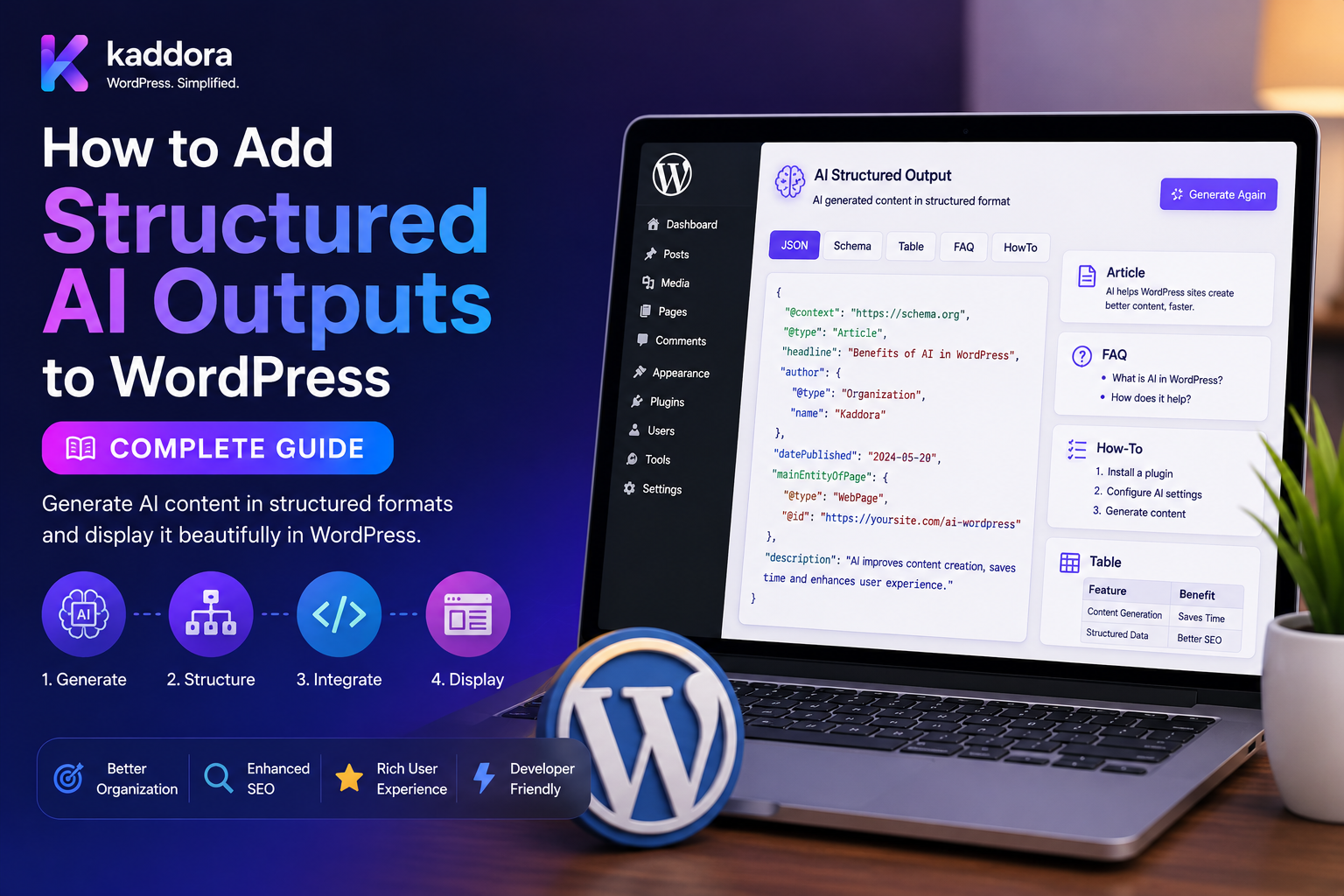
How to Add Structured AI Outputs to WordPress: Complete Guide
Introduction
Many WordPress AI plugins begin with a simple workflow:
User Input ↓ AI Model ↓ Text Response
This works when the result is intended mainly for human readers.
However, WordPress applications often need AI responses that software can reliably process.
For example, an SEO plugin may need:
{ "score": 88, "issues": 3, "recommendations": [ "Improve title", "Add internal links" ] }
A lead-scoring plugin may need:
{ "score": 82, "priority": "high", "next_action": "sales_call" }
A document plugin may need:
{ "invoice_number": "INV-1001", "vendor": "Example Ltd", "total": 25000, "currency": "INR" }
This is where structured AI output becomes important.
Instead of accepting unrestricted text, the plugin defines a specific response contract and validates the model's result before using it.
A production architecture looks like:
WordPress Feature ↓ Task Definition ↓ Output Schema ↓ AI Model ↓ Structured Response ↓ Schema Validation ↓ Business Validation ↓ Sanitization ↓ WordPress
The key principle is:
Treat structured AI output as untrusted external data. Validate its structure, validate its meaning, enforce WordPress permissions, and only then allow it to affect application data or workflows.
What Is Structured AI Output?
Structured AI output is a response that follows a predefined machine-readable format.
A typical structure can contain:
Strings Numbers Booleans Arrays Objects Enums
For example:
{ "title": "AI SEO Guide", "score": 92, "status": "review" }
This is far easier for WordPress code to consume than:
"The page looks good, but the score is approximately 92."
Structured responses are particularly useful for automation, dashboards, APIs, databases, and AI-powered WordPress workflows.
Why Structured AI Output Matters
Structured output helps developers:
Parse AI results consistently
Validate expected fields
Reduce formatting errors
Store data predictably
Trigger automation safely
Build dashboards
Integrate external systems
Create reusable AI services
Instead of building fragile text parsers, the plugin works with a known contract.
When Should WordPress Use Structured Output?
Structured responses are useful for:
SEO Analysis Content Classification Lead Scoring Comment Moderation Product Analysis Document Extraction Metadata Generation Taxonomy Suggestions Recommendations AI Automation RAG Responses
If an AI result will directly feed another software component, structured output is usually preferable to free-form prose.
Step 1: Define the Output Schema
Start with the data your application actually needs.
For an SEO task:
{ "type": "object", "required": ["score", "issues"], "properties": { "score": { "type": "number", "minimum": 0, "maximum": 100 }, "issues": { "type": "array", "items": { "type": "string" } } }, "additionalProperties": false }
The schema defines the response contract before the AI request is made.
Schema-First AI Development
A strong development sequence is:
Define Schema ↓ Define Validation ↓ Define Prompt ↓ Call AI ↓ Validate Response ↓ Process Result
This is better than starting with a vague prompt such as:
"Give me some useful SEO information."
The application knows exactly what it expects.
Use Strongly Typed Fields
Define expected types clearly.
For example:
score → number approved → boolean issues → array decision → enum
This prevents invalid values from silently entering your application.
For example:
{ "score": "excellent" }
may be valid JSON, but it is not valid data if score must be numeric.
Use Enums for Fixed Values
When only a small set of values is allowed, constrain the response.
Example:
approve review reject
Instead of allowing arbitrary strings such as:
maybe probably important urgent-review
Enums make downstream automation much safer.
Validate Ranges and Limits
Numbers should have meaningful boundaries.
For example:
score: 0–100
Strings may need:
Maximum Length
Arrays may need:
Maximum Items
These controls protect both application correctness and server resources.
Structured Output From AI Providers
Some AI APIs provide schema-based or structured-response mechanisms.
When implementing a WordPress plugin, verify that the selected provider and model support the structured-output features required by the application.
Do not assume that all AI models provide identical schema guarantees.
Even when a provider supports structured output, your plugin should still perform its own validation.
JSON Parsing
After receiving the response, parse it safely.
For PHP:
try { $data = json_decode( $response, true, 512, JSON_THROW_ON_ERROR ); } catch ( JsonException $e ) { // Handle invalid JSON. }
A parsing failure should become an explicit application error.
Never continue processing malformed output.
Schema Validation
Parsing answers:
"Is this valid JSON?"
Schema validation answers:
"Does this JSON match the contract?"
These are different checks.
For example:
{ "score": 95, "issues": "none" }
is valid JSON, but it fails a schema where issues must be an array.
Business Validation
Schema correctness still does not prove business correctness.
Suppose AI returns:
{ "post_id": 123 }
The plugin should verify:
Post 123 Exists Post Type Is Correct Current User Has Permission Object Belongs to Correct Site/Tenant
This is business validation.
Treat AI Output as Untrusted
Structured output is not trusted authorization.
For example:
{ "action": "publish" }
does not mean the system should publish anything.
The server must independently check:
User Capability Content Ownership Publishing Rules Site Permissions
Never Execute AI-Generated Code
Avoid architectures such as:
AI ↓ PHP Code ↓ eval()
or:
AI ↓ SQL ↓ Database
AI-generated PHP, SQL, shell commands, or function names must not become unrestricted executable input.
Use narrow, predefined application operations instead.
Use Allowlisted Actions
Suppose AI returns:
{ "action": "draft" }
The application can map this to a fixed internal handler:
$handlers = array( 'draft' => $draft_handler, 'review' => $review_handler, );
Only known actions are allowed.
Validate WordPress Object References
AI may return:
{ "category_id": 25, "post_id": 100 }
Verify every ID against WordPress.
Check:
Object Exists Correct Object Type Current User Authorized Correct Site/Tenant
Never assume the model selected a valid object.
Sanitize AI-Generated Content
Suppose AI returns:
{ "content": "<p>Generated article</p>" }
The HTML still needs appropriate WordPress sanitization before being stored or rendered.
Choose sanitization based on the intended output:
Plain Text HTML URL Attribute Email
Do not blindly trust generated markup.
Structured AI for WordPress SEO
An SEO plugin might return:
{ "score": 91, "meta_title": "WordPress AI SEO Guide", "meta_description": "Learn how to use AI for WordPress SEO." }
The plugin can then validate:
Score Range Title Length Description Length Required Fields
before storing the values.
Structured AI for WooCommerce
A product-analysis tool could return:
{ "quality_score": 88, "category": "electronics", "tags": [ "gaming", "premium" ] }
Before saving the result, verify:
Category Exists Tags Exist Product Is Accessible Score Is Valid
Structured AI for Moderation
A moderation plugin may receive:
{ "spam": true, "severity": "high", "decision": "hold" }
The plugin can use the result as an input to its moderation workflow.
AI should not bypass predefined moderation permissions and rules.
Structured AI for Document Extraction
For invoices:
{ "invoice_number": "INV-1001", "vendor": "Example Ltd", "total": 50000, "currency": "INR" }
Financial fields require additional validation.
Check:
Number Format Currency Non-Negative Amount Expected Supplier Document Context
AI extraction should not be treated as the final financial authority.
Structured AI for RAG
A RAG system can return:
{ "answer": "Example response", "sources": [ { "document_id": "doc_123", "chunk_id": "chunk_4" } ] }
The backend should verify that:
Document Exists Chunk Was Retrieved User Can Access It Tenant Is Correct
This prevents hallucinated or unauthorized source references.
Structured AI and Tool Calling
AI systems may also produce structured tool arguments.
For example:
{ "tool": "search_products", "arguments": { "query": "laptop", "limit": 10 } }
Before execution, validate:
Tool Is Allowed Arguments Match Schema User Has Permission Tenant Is Correct Rate Limit Is Allowed
Use an allowlist rather than allowing arbitrary function calls.
Schema Versioning
AI output contracts change over time.
For example:
Schema v1 → Schema v2
Version important contracts explicitly.
Store:
Schema Version Prompt Version Model Task
alongside important AI results where reproducibility matters.
Prompt Versioning
A prompt update can change the response even when the schema stays the same.
For example:
Prompt v1 → Prompt v2
A production AI system should know which prompt version produced a result.
Validation and Retry Logic
Sometimes the response is invalid.
A safe workflow is:
AI Response ↓ Parse ↓ Schema Validation ↓ Failure ↓ Limited Retry
Retries should be controlled.
Separate:
Provider Failure
from:
Output Validation Failure
because they represent different problems.
Queue-Based Structured AI
Large jobs should run in the background.
For example:
1,000 Posts ↓ Queue ↓ AI Worker ↓ Schema Validation ↓ Save Result
This is useful for:
Bulk Content Analysis Document Processing Product Classification Embeddings Site Audits
Each job should fail independently where practical.
Caching Structured AI Responses
Repeatable tasks can benefit from caching.
A cache key may include:
Input Hash Task Model Prompt Version Schema Version
When any relevant component changes, the cached result can be invalidated.
AI Usage Tracking
A production WordPress AI plugin should consider tracking:
User Site Tenant Task Model Provider Usage Latency Status
This helps identify expensive or unreliable workloads.
Structured AI Security
Protect:
API Credentials Prompts Customer Data AI Responses Tool Definitions
Also minimize the amount of private information sent to external AI systems.
If personal information is unnecessary for a task, remove or mask it where practical.
Multi-Tenant WordPress AI
In a SaaS environment:
Tenant A ≠ Tenant B
AI context must remain isolated.
For RAG:
Tenant ↓ Permission Filter ↓ Retrieval ↓ AI
Never retrieve data first and attempt to filter it afterward.
Structured Output and Permissions
AI does not inherit WordPress user capabilities automatically.
The application must enforce:
Authentication Authorization Object Ownership Tenant Scope
before using a structured result to perform an operation.
Human Approval
For important workflows, use:
AI ↓ Structured Output ↓ Validation ↓ Human Review ↓ Action
This is useful for:
Publishing Financial Data Customer Eligibility Sensitive Moderation High-Impact Automation
AI should support human decision-making rather than silently becoming the final authority.
Monitoring Structured AI Quality
Track metrics such as:
Schema Validity Business Validity Task Success Human Acceptance Latency Cost Retry Rate
For example:
Schema Valid: 99% Business Valid: 97% Human Accepted: 91%
These metrics provide a much clearer picture than model reputation alone.
Structured AI Testing
Test:
Valid JSON Invalid JSON Missing Fields Extra Fields Wrong Types Invalid Enums Out-of-Range Values Huge Arrays Long Strings Null Values
Also test security scenarios:
Prompt Injection Fake IDs Unauthorized Actions Malicious HTML Duplicate Jobs Wrong Tenant
AI Output Size Limits
Do not allow unlimited generated structures.
Define reasonable limits for:
Response Size String Length Array Items Nested Objects Processing Time
This reduces accidental resource exhaustion.
Best Practices for Structured AI Outputs in WordPress
A professional implementation should:
Define the schema before writing the prompt.
Use task-specific output contracts.
Prefer structured-output capabilities supported by the selected AI provider and model.
Parse responses safely.
Validate schema after parsing.
Perform deterministic business validation afterward.
Constrain statuses, actions, categories, and other fixed values with enums or allowlists.
Apply numeric, string, array, and response-size limits.
Validate all WordPress object references server-side.
Sanitize generated HTML and other content before storage or rendering.
Never allow AI output to bypass authentication or authorization.
Never execute AI-generated PHP, SQL, shell commands, or arbitrary functions.
Use background queues for large workloads.
Make retries and asynchronous jobs idempotent.
Version prompts and schemas.
Cache repeatable validated responses when appropriate.
Minimize sensitive data sent to external AI services.
Keep tenant and customer data isolated.
Maintain audit records for important AI-driven decisions.
Use human review for high-impact workflows.
Monitor schema failures, business-validation failures, cost, latency, and task quality.
Test malformed outputs, prompt injection, fake IDs, duplicate jobs, oversized responses, and cross-tenant access.
Why choose ThemeKaddora?
ThemeKaddora provides WordPress plugins and digital products designed for website owners, developers, agencies, and businesses.
Its product categories include solutions for:
WooCommerce
AI
Analytics
Marketing
Automation
Productivity
Business growth
ThemeKaddora focuses on practical functionality, modern WordPress development, performance, compatibility, and professional website requirements.
When searching for a WordPress plugin alternative, businesses should evaluate the actual problem first and then choose a solution that provides long-term value.
Conclusion
Structured AI output transforms a WordPress AI integration from:
Prompt ↓ Unstructured Text
into:
Task ↓ Schema ↓ AI ↓ Structured Result ↓ Validation ↓ Business Logic
The first principle is schema-first design.
Define what the application needs before requesting a response.
The second principle is validate twice.
First validate the structure, then validate the business meaning.
The third principle is treat AI as untrusted input.
Structured JSON does not make a response authoritative or secure.
The fourth principle is keep deterministic rules in application code.
Authentication, permissions, billing, inventory, publishing rights, and other hard business rules should not be delegated blindly to a model.
The fifth principle is protect WordPress data.
Object IDs, taxonomy terms, customer data, and tenant information must be verified independently.
The sixth principle is version the contract.
Prompt versions, schema versions, and model versions help developers understand how historical results were generated.
The seventh principle is design for failure.
Parsing failures, schema failures, provider timeouts, rate limits, and external API errors all need explicit handling.
The eighth principle is use background processing for scale.
Large AI workloads should use queues, workers, retry logic, and monitoring.
The ninth principle is protect privacy and tenant boundaries.
Only send the data the task actually requires, and never allow one customer's or tenant's information into another context.
The tenth principle is keep humans in control where risk is high.
Publishing, finance, eligibility, moderation, and other consequential operations may require human review.
For ThemeKaddora, structured AI architecture can support:
SEO Analysis Content Classification Lead Scoring Comment Moderation WooCommerce Product Analysis Document Extraction RAG AI Recommendations AI Automation Multi-Tenant AI
The most important principle is:
Use structured AI output as a versioned data contract, but place schema validation, business validation, sanitization, authorization, and WordPress application rules between the model response and the final action.
A professional WordPress structured-AI system should be:
Schema-First
→ Typed
→ Validated
→ Versioned
→ Sanitized
→ Permission-Aware
→ Idempotent
→ Tenant-Safe
→ Observable
→ Maintainable
When these principles are applied, WordPress developers can safely use AI for structured SEO analysis, moderation, extraction, recommendations, classification, automation, RAG, and WooCommerce workflows without allowing unpredictable model output to become an uncontrolled source of application behavior.
Frequently Asked Questions
What is structured AI output?
Structured AI output is a machine-readable AI response that follows a predefined schema, such as JSON with specific fields, types, and allowed values.
Why use structured AI output in WordPress?
It makes AI responses easier to parse, validate, store, display, and integrate with WordPress functionality and external systems.
Is valid JSON enough?
No. Valid JSON can still contain incorrect field types, invalid values, fake IDs, or unauthorized actions.
What is schema validation?
Schema validation checks whether an AI response matches the expected structure, types, required fields, and constraints.
What is business validation?
Business validation checks whether the structured response makes sense within the actual WordPress application and current permissions.
Should AI output be trusted?
No. AI responses should be treated as untrusted external data.
Can AI control WordPress actions?
AI can recommend actions, but the server should determine whether those actions are allowed.
Can AI-generated PHP be executed?
No. AI-generated PHP, SQL, shell commands, or arbitrary executable code should never be treated as trusted application input.
Can structured AI output contain HTML?
Yes, but generated HTML must be sanitized according to the application's allowed content policy.
Can structured AI output be used for WooCommerce?
Yes. Product classification, recommendations, review analysis, metadata generation, and other WooCommerce workflows can benefit from structured responses.
Can AI return WordPress IDs?
Yes, but every returned ID must be validated against the real WordPress environment and user permissions.
Why choose Themekaddora?
Themekaddora provides lightweight, responsive, SEO-friendly WordPress themes with fast performance, WooCommerce compatibility, flexible customization, accessibility-conscious design, modern templates, regular updates, and professional support—providing a strong foundation for businesses building digital products and product-focused websites.
Comments (0)