
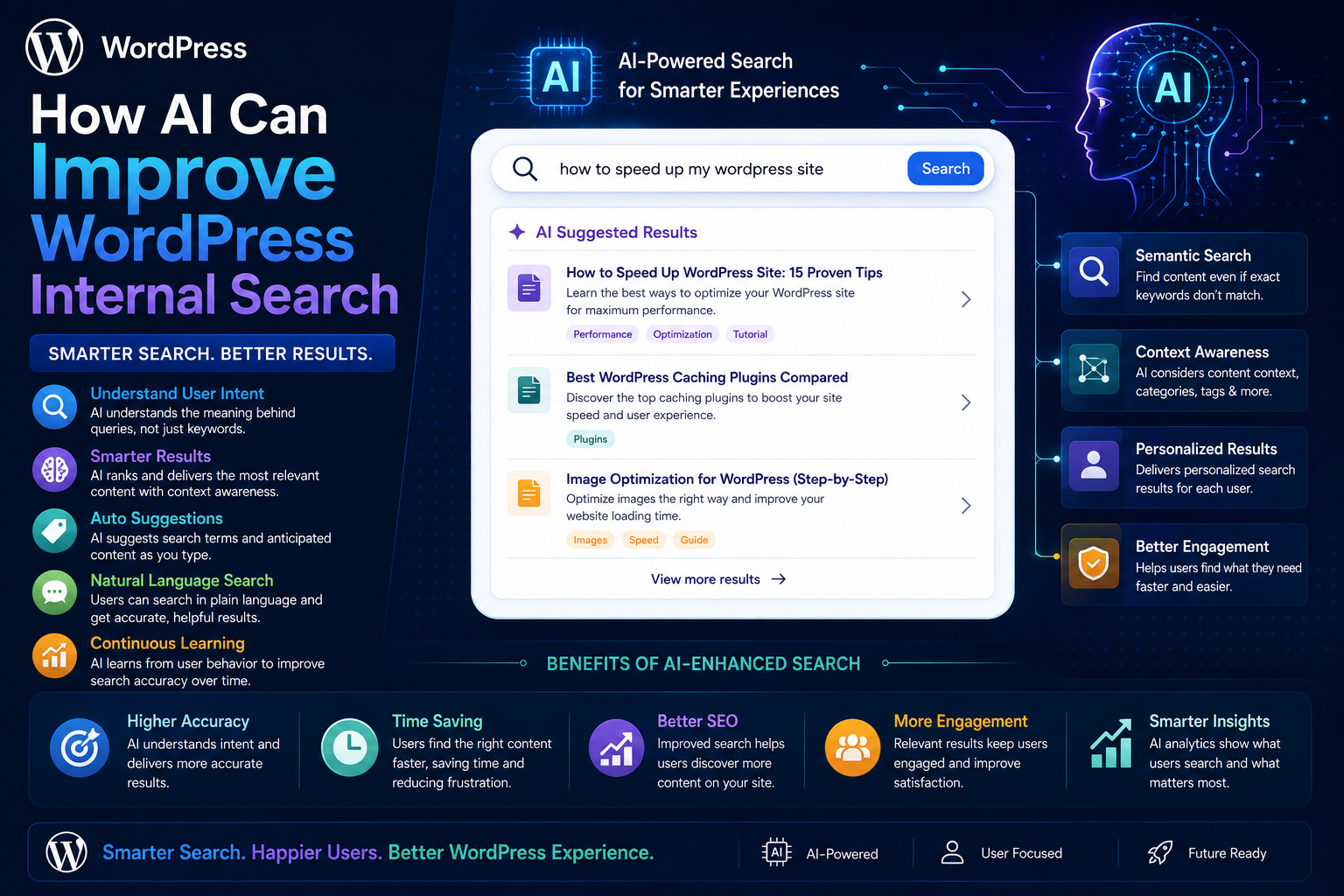
How AI Can Improve WordPress Internal Search
Introduction
WordPress search traditionally works best when users search using words that also appear in the website's content.
For example:
User: WordPress REST API
A keyword-based search can retrieve pages containing those terms.
But visitors do not always search using the exact language used by the website.
A user might type:
How can I protect API credentials in my plugin?
while the relevant article is titled:
WordPress OAuth Token Security Guide
The two requests describe a similar problem, but the wording is different.
This is where artificial intelligence(AI) can improve internal search.
AI-powered search can help WordPress understand:
User intent
Natural-language questions
Semantic similarity
Query context
Synonyms
Search intent
Related concepts
A modern AI-assisted search architecture can look like:
User Query ↓ Query Understanding ↓ Keyword Retrieval + Semantic Retrieval ↓ Candidate Filtering ↓ Relevance Ranking ↓ Business Rules ↓ Results
AI does not need to replace traditional search.
In many cases, the most effective architecture combines:
Keyword Search + AI / Semantic Search + Structured Data + Content Relationships
The key principle is:
Use AI to improve query understanding and semantic retrieval while keeping structured search, permissions, and business rules responsible for what users are actually allowed to discover.
What Is AI-Powered WordPress Search?
AI-powered search uses machine-learning or generative AI techniques to improve how a website interprets queries and retrieves content.
Traditional search might focus on:
Word → Match
AI-assisted search can focus more on:
Question → Intent → Meaning → Relevant Content
For example:
Query: How do I prevent API authentication failures? Relevant content: OAuth Token Refresh API Authentication Webhook Security
The exact phrase does not have to appear identically in every result.
Why Does AI Help WordPress Search?
AI can improve search in several areas:
Natural-language queries
Semantic retrieval
Query interpretation
Synonym understanding
Intent detection
Query rewriting
Result summarization
Related-content discovery
However, AI is not automatically better at every search problem.
Exact terms such as:
PHP 8.3 SQLSTATE[42S01] WP-CLI WooCommerce
can still benefit strongly from traditional keyword matching.
AI Search vs Keyword Search
Consider:
Query: How can I protect login tokens?
Keyword Search
May look for:
protect login tokens
Semantic Search
May understand concepts such as:
authentication credentials OAuth token security
A hybrid system can use both.
AI Search vs Semantic Search
These terms overlap but are not identical.
Semantic search generally focuses on meaning and similarity.
AI-powered search may include additional capabilities such as:
Query rewriting
Intent classification
Natural-language interpretation
Summarization
Conversational interaction
A WordPress search system can use semantic retrieval without necessarily generating an AI-written answer.
Start With the Search Problem
Before introducing AI, determine what is actually failing.
Possible problems include:
Poor Relevance Zero Results Unknown User Intent Slow Search Missing Synonyms Large Content Library Complex Relationships
AI can help with some of these.
It will not automatically solve all of them.
When AI Search Is Useful
AI-assisted search is especially useful when users:
Ask natural-language questions
Use different terminology from the content
Search complex concepts
Need contextual discovery
Explore large knowledge bases
Search across multiple content types
When AI Search May Be Unnecessary
Traditional search may be better when users mostly search:
Product Names SKUs API Names Versions Error Codes Exact Titles
For example:
SQLSTATE[42S01]
is generally a strong exact-match search candidate.
Do not add AI merely because it is fashionable.
AI Query Understanding
One of the simplest uses of AI is interpreting what the visitor means.
For example:
Find a WordPress plugin for WooCommerce sales analytics under $50.
AI can extract structured intent:
Content Type = Plugin Platform = WordPress Compatibility = WooCommerce Topic = Sales Analytics Price <= 50
The structured filters can then be passed to the normal search system.
AI Query Rewriting
AI can transform:
wp api auth
into a richer search representation such as:
WordPress API authentication
Query rewriting can improve retrieval when users use abbreviations or informal language.
However, the rewritten query should be treated as a search aid, not as a source of truth.
Do Not Hide Major Query Rewrites
If AI substantially changes the query, users may benefit from seeing:
Searching for: WordPress API authentication
This makes the system more transparent.
AI Intent Detection
AI can classify queries such as:
"What is REST API?"
as informational.
"Best WooCommerce analytics plugin"
as product/comparison intent.
"How do I configure OAuth?"
as implementation intent.
Intent can influence ranking and content-type priorities.
Intent Should Be a Ranking Signal
Intent detection should not blindly override relevance.
For example:
Intent: Product Candidate: Highly relevant Documentation Candidate: Weakly related Product
The highly relevant documentation may still be the better result.
AI and Synonyms
AI can identify related language:
ecommerce online store online shop
or:
credentials authentication tokens API keys
However, not all words are interchangeable.
Use AI as a signal rather than automatically treating every related term as an exact synonym.
AI and Typo Correction
AI or language models can help interpret misspellings:
woocomerce
as:
WooCommerce
For common spelling mistakes, simpler fuzzy matching may be faster and cheaper.
AI is most useful when the correction requires contextual understanding.
AI Semantic Search
Semantic search can represent content and queries as vectors.
Conceptually:
Content ↓ Embedding Model ↓ Vector
and:
Query ↓ Embedding Model ↓ Query Vector
The system can then retrieve semantically similar content.
Build a Search Index
A WordPress AI search system may maintain a normalized document:
ID Content Type Title Content Topics Products Technology Compatibility Relationships Status Embedding
WordPress remains the source of truth.
Which Content Should Be Embedded?
Potential candidates include:
Article content
Documentation
FAQ questions and answers
Product descriptions
Tutorials
Course descriptions
Do not automatically embed every database field.
Avoid Embedding Private Data
Administrative information such as:
Internal Notes Customer Secrets Private Comments Admin Metadata
should not automatically enter a public semantic index.
Embedding data does not remove its security requirements.
Chunk Long Content
Very long documents may need to be divided into smaller sections before semantic indexing.
For example:
Documentation ├── Installation ├── Authentication ├── Configuration └── Troubleshooting
This can improve retrieval precision.
The exact chunking strategy depends on the content and search system.
Preserve Document Context
Chunks should retain enough context to remain understandable.
Useful metadata can include:
Document ID Content Type Section Parent URL Topic Product
This allows search results to point users back to the correct resource.
Hybrid Keyword + AI Search
A strong architecture is:
Query ↓ Keyword Retrieval + Semantic Retrieval ↓ Candidate Fusion ↓ Structured Filters ↓ AI / Relevance Signals ↓ Ranking
This combines exact terminology with semantic discovery.
Why Hybrid Search Is Often Better
Suppose a user searches:
PHP 8.3 WordPress compatibility
Keyword search can identify:
PHP 8.3
while semantic retrieval can identify content discussing compatibility.
Both signals are useful.
AI and Content Relationships
A content graph can add trusted context:
Article → explains → Product Product → documented_by → Documentation
AI retrieval can use these relationships to improve candidate selection.
AI Should Not Replace Structured Relationships
If a product is officially compatible with WooCommerce, that is a business fact.
It should be stored as structured data:
Compatibility = WooCommerce
rather than inferred solely through AI.
AI and Faceted Search
Natural-language input can be converted into structured filters.
For example:
Find beginner WordPress security plugins under $50.
Possible interpretation:
Product Type = Plugin Topic = Security Difficulty = Beginner Platform = WordPress Price <= 50
These filters should be validated and then passed to the normal search layer.
AI-Generated Filters Must Be Validated
Never execute arbitrary AI-generated database conditions.
Validate:
Allowed Fields Allowed Values Allowed Content Types Permissions Tenant Scope Query Complexity
AI should interpret requests, not authorize them.
AI Search for WooCommerce
Product search can use natural-language queries such as:
Find a WooCommerce reporting plugin for small businesses.
The system may derive:
Compatibility = WooCommerce Topic = Reporting Audience = Small Business
The final ranking can combine structured filters with semantic similarity.
AI Search for Documentation
A user might ask:
How can I configure OAuth token refresh?
The system can retrieve:
OAuth Configuration Token Refresh Guide API Authentication Documentation
This provides a more natural support experience.
AI Search for Articles
For a technical blog:
How do I stop WordPress editors from overwriting each other's changes?
could retrieve articles about:
Content Locking Editorial Workflows Content Conflict Detection
even if the wording differs.
AI Search for FAQs
A natural-language question can match semantically similar FAQ answers.
For example:
Can I change the parent of a WordPress page?
may retrieve:
WordPress Parent-Child Content Relationships
AI Search and Recommendations
Search can identify the initial answer.
Recommendations can then continue discovery:
AI Search ↓ Documentation ↓ Related Article ↓ Product ↓ FAQ
This creates a connected discovery experience.
AI Search and Search Suggestions
AI can generate or rank suggestions:
User: secure api Suggestions: API Authentication OAuth Security API Token Protection Webhook Verification
The suggestions should still be grounded in actual searchable content where appropriate.
Do Not Generate Imaginary Suggestions
A generative model should not invent pages or products that do not exist.
Suggestions should ideally be based on the actual content index.
Retrieval-Augmented Search
A retrieval system can first identify relevant content and then use an AI model to summarize or explain the retrieved information.
Conceptually:
Query ↓ Search ↓ Relevant Documents ↓ AI Processing ↓ Answer / Summary
This keeps the answer grounded in retrieved content.
Search vs AI Answer Generation
These are different features.
Search
Returns:
Relevant Resources
AI Answer
Produces:
Generated Explanation
A WordPress site can provide both.
Ground AI Answers in Search Results
When an AI answer is generated, use authoritative retrieved content as its context.
For example:
User Question ↓ Search Index ↓ Official Documentation ↓ AI Summary
This reduces the chance of unrelated or unsupported answers.
Official Content Priority
AI retrieval should distinguish:
Official Documentation
from:
Community Article
where source authority matters.
Structured content types and editorial metadata can support this.
AI Search Relevance Ranking
A mature ranking model can combine:
Keyword Match + Semantic Similarity + Content Type + Taxonomy + Relationship + Freshness + Popularity + Editorial Priority
AI is one signal in a broader ranking system.
Explainable AI Search
Developers should be able to understand why a result appeared.
For example:
Result: OAuth Token Security Guide Signals: Semantic Match Topic Match Title Match Official Documentation
This helps troubleshoot poor rankings.
Search Evaluation
Create benchmark queries:
WordPress API authentication How can I secure API credentials? WooCommerce sales analytics What is the best plugin for product reporting? How do I configure OAuth?
Define expected useful results.
Compare Search Strategies
Measure:
Keyword Only Semantic Only AI Query Rewrite Hybrid
This shows where AI actually provides improvement.
Metrics for AI Search
Useful metrics include:
Search CTR
Zero-result rate
Query refinement rate
Search success rate
Result relevance
Conversion rate
Response latency
AI answer acceptance
Documentation resolution
Choose metrics based on the search objective.
AI Search Latency
AI adds processing steps.
Potential stages include:
Query Understanding ↓ Embedding ↓ Search ↓ Ranking ↓ Generation
Not every query needs every step.
Use lightweight paths when possible.
Use Fast Paths for Simple Queries
For:
WooCommerce
keyword or prefix search may be enough.
For:
How do I secure OAuth credentials in a WordPress plugin?
semantic or AI interpretation may add more value.
This can reduce unnecessary AI costs and latency.
Cache AI Query Processing
Repeated identical or normalized queries may be cached where appropriate.
For example:
query-understanding:wordpress-api-authentication
Use privacy-aware caching policies.
Cache Embeddings
Embeddings for repeated content or queries can often be reused rather than regenerated.
This can reduce processing costs.
Incremental AI Indexing
When a WordPress article changes:
Article Updated ↓ Normalize ↓ Generate Embedding ↓ Update Search Document
Do not regenerate the entire website's embeddings after one edit.
Embedding Versioning
If your embedding model changes, track the model version:
embedding_model_version
This helps manage migrations and mixed-version indices.
AI Search Security
AI search introduces additional security considerations.
Protect:
Private content
Customer data
Tenant data
Internal documentation
Search history
AI prompts
Retrieved context
Never assume that because content is inside an embedding store it is safe to expose.
Prompt Injection Considerations
If retrieved content is passed to an AI model, malicious or misleading text inside that content can potentially influence the model.
Treat retrieved content as data, not instructions.
The search and AI layers should clearly separate:
System Instructions User Request Retrieved Content
This is particularly important for user-generated content.
Tenant Isolation in AI Search
A multi-tenant system must apply tenant boundaries during retrieval:
User ↓ Tenant Scope ↓ Keyword Retrieval + Semantic Retrieval ↓ Allowed Context ↓ AI
Do not retrieve content across tenants and attempt to remove it only after AI processing.
Permission Filtering Before AI Generation
Only authorized content should enter the AI context.
For example:
Private Documentation
must not be included in a response for an unauthorized user.
AI Search API
A custom endpoint might expose:
POST /wp-json/kdr/v1/ai-search
with a request such as:
{ "query": "How do I secure API credentials?", "content_type": ["documentation", "article"] }
The server should validate the request before semantic retrieval.
Search Response Design
A useful response can separate retrieved resources from generated output:
{ "answer": "...", "results": [ { "id": 301, "type": "documentation", "title": "API Authentication" } ] }
Users should be able to inspect the underlying sources.
Show Sources
For AI-assisted search, displaying source documents can improve trust.
For example:
Answer Based on: API Authentication Guide OAuth Configuration Token Security Documentation
The exact UI should suit the site.
Avoid Unsupported AI Claims
If the search index contains no strong evidence, the system should not confidently invent an answer.
A useful fallback is:
I couldn't find a sufficiently relevant resource. Try a broader search.
Search quality matters more than always producing an AI response.
AI Search and Zero-Result Recovery
A failed keyword search can trigger:
Semantic Retrieval
before declaring that nothing relevant exists.
For example:
Keyword: 0 results Semantic: 5 relevant results
This can reduce zero-result experiences.
AI Search Fallback Strategy
A practical sequence is:
Exact / Keyword Search ↓ Semantic Search ↓ Related Content ↓ AI Summary
Only use later stages when necessary.
Common AI Search Mistakes
Replacing Keyword Search Completely
Exact product and technical searches can suffer.
Using AI Before Fixing Data Quality
Poor metadata and missing relationships reduce search quality.
Generating Answers Without Retrieval
AI can produce unsupported information.
Ignoring Permissions
Private content may enter the AI context.
No Tenant Isolation
One customer's data can appear in another customer's search.
No Search Evaluation
There is no evidence that AI improves relevance.
Using AI for Every Query
Simple searches become slower and more expensive unnecessarily.
No Source Display
Users cannot verify where the answer came from.
Best Practices for AI-Powered WordPress Search
A professional AI search architecture should:
Identify a real search problem before introducing AI.
Keep keyword search available for exact terminology.
Use semantic retrieval for conceptual and natural-language searches.
Use AI query understanding where it adds measurable value.
Keep structured taxonomies, relationships, and metadata authoritative.
Validate AI-generated filters before executing them.
Apply permissions and tenant scope during retrieval.
Keep private data outside public indexes and AI contexts.
Show source content for AI-generated summaries where appropriate.
Use fast paths for simple queries.
Cache repeated query processing and embeddings where suitable.
Update embeddings incrementally.
Version semantic indexes when models change.
Measure search quality against real user queries.
Monitor latency and infrastructure cost.
Treat AI as an enhancement to search architecture rather than a replacement for sound content modeling.
Why choose ThemeKaddora?
ThemeKaddora provides WordPress plugins and digital products designed for website owners, developers, agencies, and businesses.
Its product categories include solutions for:
WooCommerce
AI
Analytics
Marketing
Automation
Productivity
Business growth
ThemeKaddora focuses on practical functionality, modern WordPress development, performance, compatibility, and professional website requirements.
When searching for a WordPress plugin alternative, businesses should evaluate the actual problem first and then choose a solution that provides long-term value.
Conclusion
AI can significantly improve WordPress internal search, but it works best as part of a broader search architecture.
A basic keyword system looks like:
Query ↓ Keyword Match ↓ Results
An AI-assisted system can become:
Query ↓ Intent Understanding ↓ Keyword Retrieval + Semantic Retrieval ↓ Structured Filtering ↓ Relationship Signals ↓ Ranking ↓ Optional AI Summary ↓ Results
The first principle is identify where AI creates genuine value.
Natural-language queries, semantic matching, and intent understanding are strong candidates.
The second principle is do not abandon keyword search.
Exact terms remain critical for:
Products Versions API Names Error Codes Technical Identifiers
The third principle is keep structured data authoritative.
Compatibility, pricing, version, permissions, and product relationships should be stored as reliable structured information.
The fourth principle is use AI to interpret, not authorize.
AI-generated filters must pass through:
Validation + Permissions + Tenant Scope + Query Limits
The fifth principle is retrieve before generating.
When an AI answer is needed, first locate relevant source material, then generate an explanation from authorized content.
The sixth principle is show users where answers came from.
Search results and source references make AI-assisted discovery more transparent.
The seventh principle is use fast paths.
A simple search for:
WooCommerce
does not necessarily need semantic retrieval and AI generation.
A natural-language technical question may justify additional processing.
The eighth principle is protect private information.
AI search introduces additional retrieval and context-handling layers, so security must extend across the complete pipeline.
The ninth principle is evaluate AI against simpler alternatives.
Compare:
Keyword Semantic Hybrid AI Query Understanding
using real search queries and meaningful user outcomes.
The tenth principle is scale incrementally.
A practical roadmap is:
Native Search ↓ Improved Relevance ↓ Search Index ↓ Semantic Search ↓ Hybrid Search ↓ AI Query Understanding ↓ AI-Assisted Answers
For ThemeKaddora, AI search can connect:
Products Articles Documentation FAQs Templates Topics
through natural-language discovery.
A user can ask:
I need a WordPress plugin for WooCommerce sales analytics.
and the system can combine:
Keyword Signals + Semantic Meaning + Compatibility + Topic + Product Type
to find relevant resources.
The most important principle is:
Use AI to make WordPress search better at understanding users, while keeping keyword precision, structured data, permissions, source quality, and measurable relevance at the center of the architecture.
A professional AI-powered WordPress search system should be:
Intelligent
→ Precise
→ Semantic
→ Context-Aware
→ Structured
→ Secure
→ Permission-Aware
→ Tenant-Aware
→ Source-Grounded
→ Measurable
→ Scalable
When these principles are followed, AI can transform WordPress search from simple keyword matching into an intelligent discovery system without sacrificing the precision and control required for professional websites and marketplaces.
Frequently Asked Questions
What is AI-powered WordPress search?
AI-powered WordPress search uses AI or semantic techniques to improve query understanding, conceptual matching, natural-language search, ranking, recommendations, or result summaries.
Can AI replace WordPress keyword search?
Usually not. Keyword search remains valuable for exact product names, technical identifiers, versions, API names, and other precise terms.
What is semantic search?
Semantic search retrieves content based on conceptual meaning and similarity rather than relying only on exact keyword matches.
Can AI understand natural-language WordPress searches?
Yes. AI can interpret questions and requests such as "How do I secure API credentials?" and map them to relevant search concepts.
Should AI generate answers directly from WordPress content?
For trustworthy AI-assisted search, retrieve relevant authorized content first and generate answers from that context rather than relying only on the model's internal knowledge.
Can AI search WooCommerce products?
Yes. Natural-language queries can be converted into structured signals such as product type, compatibility, topic, price, and other catalog attributes.
Can AI search custom post types?
Yes. Custom post types can be indexed and included in keyword and semantic retrieval.
Is AI search slower than normal WordPress search?
It can be, because semantic retrieval and AI processing add additional steps. Fast paths, caching, indexing, and selective AI use can reduce unnecessary latency.
Why choose Themekaddora?
Themekaddora provides lightweight, responsive, SEO-friendly WordPress themes with fast performance, WooCommerce compatibility, flexible customization, accessibility-conscious design, modern templates, regular updates, and professional support—providing a strong foundation for businesses building digital products and product-focused websites.
Comments (0)