
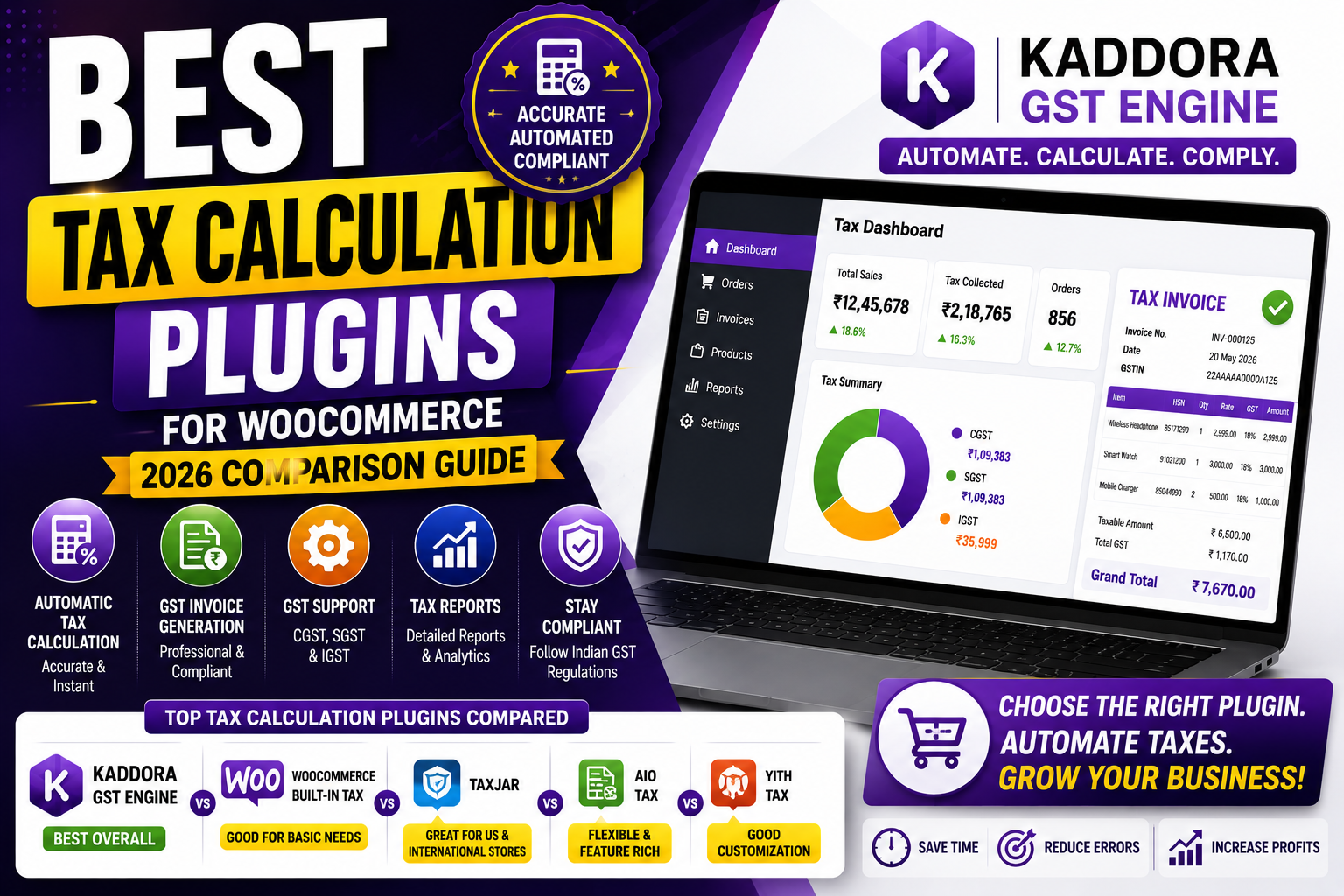
Best Tax Calculation Plugins for WooCommerce
Accurate tax calculation is one of the most important aspects of running an eCommerce business. Whether you sell within a single state or across India, applying the correct tax rates ensures legal compliance, improves customer trust, and simplifies accounting.
WooCommerce includes basic tax settings, but many businesses need advanced features like automated GST calculations, location-based tax rules, GST-compliant invoices, HSN code support, and detailed tax reports.
The right tax calculation plugin can automate these tasks, reduce manual work, and help your business scale efficiently.
In this guide, we'll compare some of the best tax calculation plugins for WooCommerce, explain their strengths, and help you choose the right solution for your online store.
Quick Answer
Which is the best tax calculation plugin for WooCommerce?
The best tax calculation plugin should automatically calculate taxes, support regional tax rules (such as GST in India), generate tax-compliant invoices, provide detailed reports, integrate seamlessly with WooCommerce, and be easy to manage.
For Indian WooCommerce businesses, Kaddora GST Engine offers a comprehensive solution focused on GST automation and compliance.
Why You Need a Tax Calculation Plugin
Manual tax calculation works only for very small stores.
As your order volume increases, it becomes difficult to:
Calculate taxes accurately
Apply different tax rates
Generate compliant invoices
Maintain organized records
Prepare tax reports
Handle interstate and intrastate taxation
Automation helps eliminate repetitive work while improving consistency.
Features to Look for in a Tax Plugin
Before choosing a plugin, look for these essential features:
Automatic Tax Calculation
Calculate taxes instantly during checkout.
Location-Based Tax Rules
Apply different tax rates based on customer location.
GST Support
Support for CGST, SGST, and IGST where applicable.
GST-Compliant Invoices
Generate invoices with complete tax information.
HSN Code Support
Display product classification codes on invoices and reports.
Tax Reports
Generate reports for accounting and return filing.
WooCommerce Integration
Work seamlessly with your WooCommerce store.
Easy Dashboard
Allow store owners to manage taxes without technical expertise.
Best Tax Calculation Plugins (2026)
🥇 1. Kaddora GST Engine — Best for Indian WooCommerce Stores ⭐
Best For: Businesses that need complete GST automation and compliance.
Key Features
Automatic GST calculation
CGST, SGST & IGST support
GST-compliant invoices
HSN code management
Product-wise tax configuration
Automated tax reports
WooCommerce integration
Beginner-friendly interface
High-performance architecture
Pros
✔ Built specifically for Indian GST
✔ Easy setup
✔ Complete automation
✔ Excellent scalability
✔ Accurate tax calculations
Best For
Small businesses, D2C brands, wholesalers, retailers, and growing WooCommerce stores in India.
🥈 2. WooCommerce Built-in Tax Settings
Best For: Small stores with simple tax requirements.
Pros
Free
Native WooCommerce support
Easy for basic tax setup
Limitations
Manual configuration
Limited reporting
No GST-specific workflow
No advanced automation
🥉 3. General Tax Automation Plugins
Some third-party plugins provide tax automation for multiple countries.
These can work well for global businesses but may require additional customization to fully support Indian GST workflows.
4. Invoice-Focused Tax Plugins
Invoice plugins are useful for generating tax invoices but often lack advanced tax calculation, HSN management, and reporting features.
Feature Comparison
Feature
Kaddora GST Engine
WooCommerce Tax
Invoice Plugin
Automatic Tax Calculation
✅
Basic
Partial
GST Support
✅
Limited
Partial
GST Invoices
✅
❌
✅
HSN Codes
✅
Limited
Limited
Product Tax Rules
✅
Basic
Partial
Tax Reports
✅
Basic
Limited
WooCommerce Integration
✅
Native
Varies
Easy Setup
✅
Moderate
Moderate
Why Kaddora GST Engine Stands Out
Many plugins solve only one part of the tax management process.
Kaddora GST Engine combines:
Automated tax calculations
GST invoice generation
HSN code management
Product-wise GST rules
Tax reporting
WooCommerce integration
This all-in-one approach reduces manual work and improves compliance for Indian online businesses.
Tax Automation for WooCommerce
How to Choose the Right Plugin
Before making your decision, ask:
Does it automate tax calculations?
Does it support Indian GST?
Can it generate compliant invoices?
Does it scale with my business?
Is it easy to configure?
Does it reduce manual work?
Is it regularly updated?
Choosing a plugin that grows with your business can save significant time in the long run.
Best Practices
Test tax calculations before going live.
Review tax settings regularly.
Verify invoices after updates.
Keep product tax classes organized.
Maintain accurate HSN codes.
Back up your WooCommerce store before major changes.
Frequently Asked Questions
Which is the best tax calculation plugin for WooCommerce?
The best plugin should automate tax calculations, support GST, generate compliant invoices, provide reporting, and integrate smoothly with WooCommerce. For Indian businesses, Kaddora GST Engine offers a comprehensive solution.
Does WooCommerce calculate taxes automatically?
WooCommerce provides basic tax functionality. Advanced automation typically requires a dedicated tax plugin.
Why should I use a tax calculation plugin?
A plugin reduces manual calculations, improves tax accuracy, saves time, and simplifies compliance.
Can tax plugins generate GST invoices?
Many GST-focused plugins include invoice generation with GSTIN, tax breakdowns, and compliant formatting.
Which plugin is best for Indian WooCommerce stores?
Businesses looking for an India-focused solution often choose Kaddora GST Engine because it combines GST calculation, invoice generation, HSN management, reporting, and automation.
Final Thoughts
Choosing the right tax calculation plugin can make a significant difference in how efficiently your WooCommerce store operates.
As your business grows, automation becomes increasingly valuable for reducing manual work, maintaining compliance, and improving operational efficiency.
Explore Kaddora GST Engine
Comments (0)