
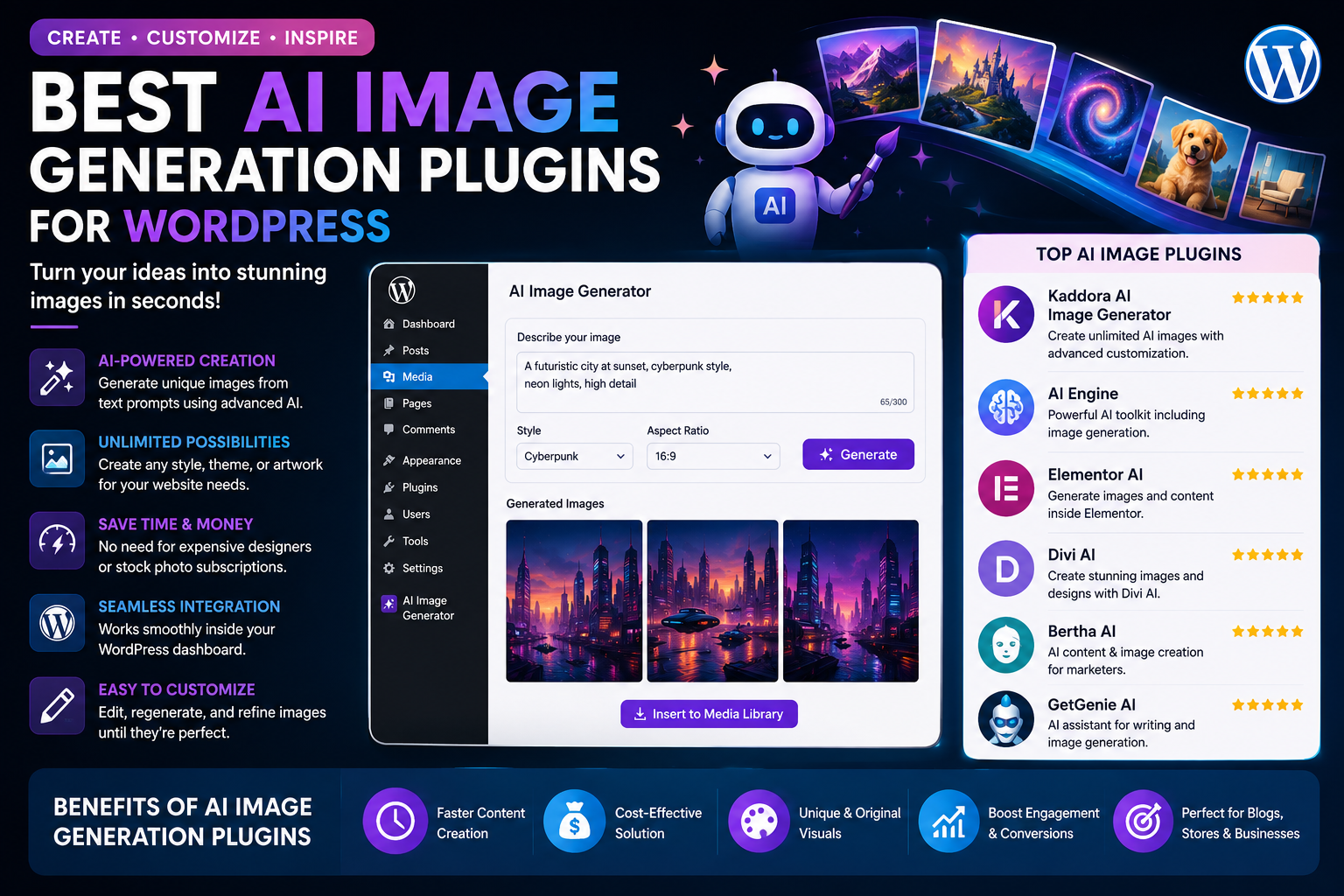
Best AI Image Generation Plugins for WordPress
High-quality images play a crucial role in the success of any WordPress website. Whether you're publishing blog posts, managing an online store, promoting services, or growing a business, engaging visuals help capture attention, improve user experience, and increase conversions.
Creating professional graphics manually can be time-consuming and expensive. Fortunately, AI image generation plugins make it possible to produce custom visuals within minutes. These tools use artificial intelligence to transform text prompts into unique images, helping website owners create featured images, blog illustrations, product mockups, social media graphics, and marketing banners without advanced design skills.
In this guide, we'll explore the best AI image generation plugins for WordPress, their features, and how to choose the right solution for your website.
Why Use AI Image Generation in WordPress?
Visual content improves both user engagement and website performance.
AI image generation offers several advantages:
Create custom graphics quickly
Save design costs
Generate unique featured images
Produce marketing banners
Improve blog presentation
Support social media campaigns
Enhance WooCommerce product pages
Speed up content publishing
Instead of searching through stock image libraries, you can generate visuals tailored to your content.
Features to Look For
Before choosing an AI image generation plugin, consider these features:
Text-to-image generation
Multiple AI model support
High-resolution image output
Image editing tools
Image variations
Background removal
Style customization
WordPress Media Library integration
Featured image generation
Batch image creation
Commercial usage support
Fast image generation
Selecting the right features ensures the plugin fits your workflow.
1. Kaddora AI Image Generator
Kaddora AI Image Generator helps WordPress users create original visuals directly from the dashboard.
Key Features
Text-to-image generation
Featured image creation
Blog illustration generation
Social media graphics
Marketing banner creation
Image style customization
WordPress Media Library integration
Multiple AI provider support
Prompt history
One-click image insertion
Best For
Bloggers
Agencies
Businesses
WooCommerce stores
Digital marketers
Why Choose It?
Kaddora AI Image Generator allows users to create unique visuals without leaving WordPress, making content creation faster and more efficient.
2. AI Engine
AI Engine includes image generation capabilities alongside AI writing and chatbot tools.
Key Features
AI image generation
Prompt management
Multiple AI integrations
WordPress editor compatibility
Best For
Users looking for a complete AI toolkit.
3. Elementor AI
Elementor AI combines web design with AI-generated visuals.
Key Features
AI images
Design assistance
Website graphics
Landing page visuals
Best For
Elementor users.
4. Divi AI
Divi AI allows users to generate graphics directly within the Divi Builder.
Key Features
AI image creation
Layout assistance
Content generation
Design improvements
Best For
Divi website owners.
5. SeedProd AI Assistant
SeedProd includes AI-powered content and image generation for landing pages.
Key Features
AI graphics
Landing page design
Marketing visuals
Website customization
Best For
Landing page creation.
How AI Image Generation Helps Website Owners
Better Blog Posts
Custom illustrations make blog articles more engaging and memorable.
Instead of generic stock photos, AI allows you to create visuals that closely match your topic.
Improved SEO
Images improve user engagement and can contribute to SEO when combined with:
Descriptive file names
Optimized alt text
Image compression
Responsive sizing
AI-generated visuals help create unique content that stands out.
WooCommerce Product Marketing
Online stores can use AI to generate:
Promotional banners
Product lifestyle images
Category graphics
Sale announcements
Seasonal marketing visuals
Creative visuals encourage more clicks and purchases.
Social Media Content
AI-generated graphics can be adapted for:
X (formerly Twitter)
Maintaining a consistent visual identity becomes much easier.
Tips for Writing Better AI Image Prompts
The quality of an AI-generated image often depends on the prompt you provide.
A good prompt should include:
Main subject
Style (modern, realistic, illustration, 3D)
Colors
Background
Lighting
Camera angle (if needed)
Image purpose
Example:
"Modern WordPress dashboard with AI assistant, clean blue interface, futuristic technology background, professional digital illustration."
Detailed prompts generally produce better results.
Best Practices for AI Images
To get the most value from AI-generated visuals:
Match images to your content
Maintain consistent branding
Optimize file sizes
Add descriptive alt text
Use responsive image formats
Review images before publishing
These practices improve accessibility, SEO, and page performance.
Common Mistakes to Avoid
Avoid these common issues:
Using vague prompts
Ignoring image optimization
Publishing without reviewing images
Creating inconsistent visual styles
Forgetting image alt text
Using oversized image files
Small improvements can significantly enhance user experience.
Benefits of AI Image Plugins
AI image generation helps:
Save time
Reduce design costs
Increase publishing speed
Improve branding
Enhance user engagement
Support content marketing
Create original visuals
Strengthen social media campaigns
These advantages make AI image tools valuable for businesses of every size.
Final Thoughts
AI image generation plugins are changing how WordPress websites create visual content. Instead of relying solely on stock photography or hiring designers for every graphic, website owners can now generate custom visuals quickly and efficiently.
The best AI image plugin depends on your content strategy, design preferences, and workflow. Bloggers may prioritize featured images, businesses may focus on marketing materials, and WooCommerce stores may benefit from product-focused graphics.
By combining AI-generated visuals with thoughtful branding and quality content, you can create a more engaging website while saving valuable time and resources.
Frequently Asked Questions
What is an AI image generation plugin?
An AI image generation plugin creates images from text prompts using artificial intelligence, allowing WordPress users to generate custom visuals without graphic design experience.
Can AI generate featured images for blog posts?
Yes. Many AI plugins allow you to create unique featured images directly within WordPress.
Are AI-generated images suitable for commercial use?
Usage rights depend on the AI service and plugin. Always review the licensing terms before using images for commercial projects.
Can AI image plugins integrate with the WordPress Media Library?
Many plugins allow generated images to be saved directly to the Media Library for easy use across your website.
Do AI-generated images improve SEO?
While images themselves are not a direct ranking factor, optimized visuals can improve user engagement, accessibility, and overall content quality, which contribute to better SEO.
Comments (0)